
Ten en cuenta: Eliminar la app no cancela tu suscripción.
Eliminar la app de Muscle Booster de tu teléfono no cancela tu suscripción. Quitar la app solo la borra de tu dispositivo, pero tu suscripción permanece activa y seguirá renovándose automáticamente según el plan de facturación que elegiste. Como resultado, es posible que sigas viendo cargos recurrentes aunque la app ya no esté instalada.
Para detener los pagos futuros y evitar renovaciones adicionales, debes cancelar tu suscripción a través de la plataforma donde la compraste originalmente (como la App Store de Apple, Google Play Store o el sitio web de Muscle Booster). Sigue las instrucciones a continuación para cancelar correctamente tu suscripción y evitar cargos adicionales.
Elige cómo te registraste
Los pasos para cancelar dependen de dónde compraste originalmente tu suscripción de Muscle Booster, así que el primer paso es identificar cómo te registraste.
Ya sea que te hayas registrado directamente en el sitio web de Muscle Booster tras hacer clic en un anuncio en redes sociales como Facebook, Instagram, TikTok u otra promoción online, en la App Store de Apple en tu iPhone, o en Google Play Store en Android, selecciona la opción de abajo para continuar con las instrucciones de cancelación correctas.
Suscripción web (si compraste la app tras hacer clic en un anuncio en redes sociales como Facebook, Instagram, TikTok)
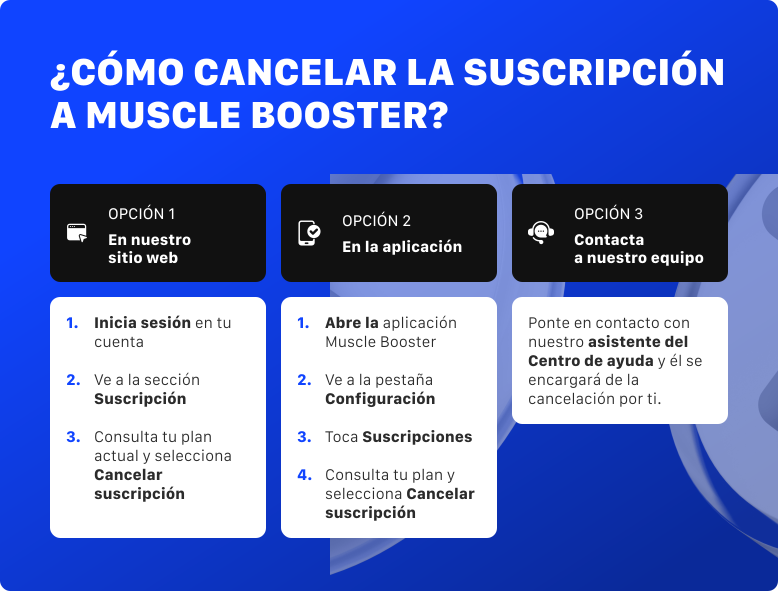
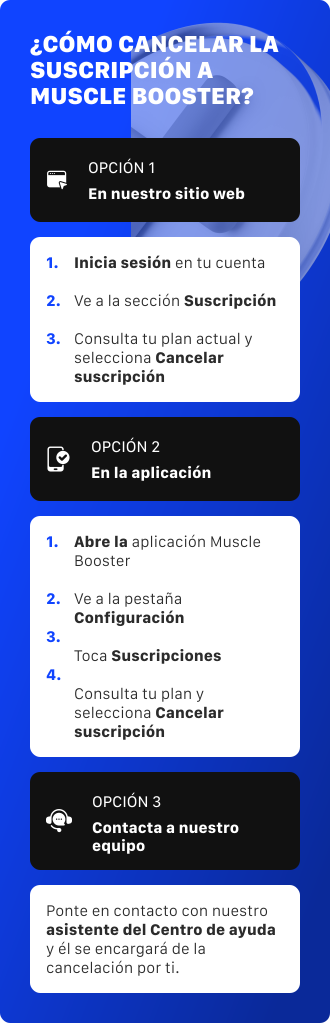
Opción 1: En nuestro sitio web (en tu cuenta web)
- Inicia sesión en tu cuenta usando este enlace.
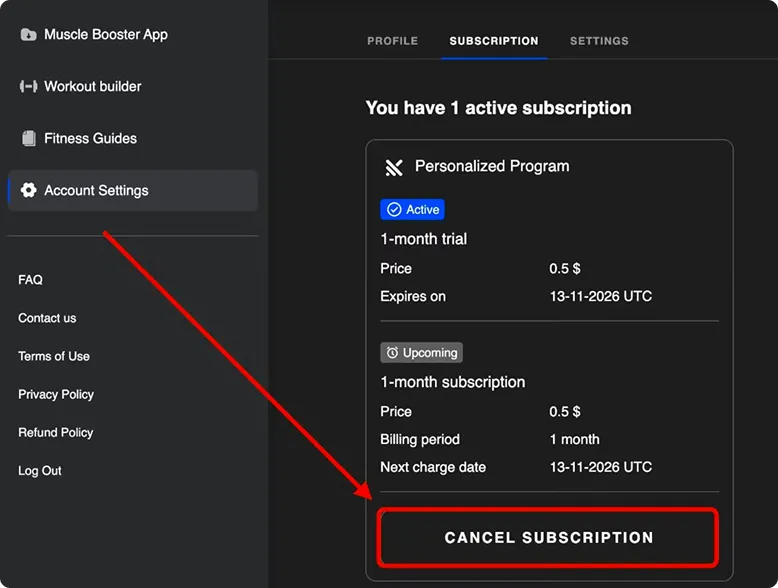
- Ve a la sección Suscripción.
- Consulta tu plan actual y selecciona Cancelar Suscripción.
Opción 2: En la app
- Abre la app de Muscle Booster
- Ve a la pestaña Configuración
- Toca Suscripciones
- Serás redirigido a tu cuenta web, donde podrás ver todas tus suscripciones activas y cancelar la que quieras.
Opción 3: Pregunta a nuestro equipo
Contacta a nuestro asistente del Centro de Ayuda y él se encargará de la cancelación por ti.
Suscripción iOS (te suscribiste a través de la App Store)
- Abre la app Configuración en tu dispositivo.
- Toca tu nombre en la parte superior de la pantalla.
- Toca Suscripciones.
- Busca Muscle Booster en la lista.
- Toca Cancelar Suscripción y confirma.
También puedes ir a Configuración → Suscripciones dentro de la app de Muscle Booster, y serás redirigido a la página de la App Store.
¿No ves Muscle Booster en la lista? Entonces no te suscribiste a través de Apple. Vuelve atrás y usa los pasos de "Suscripción web" en su lugar.
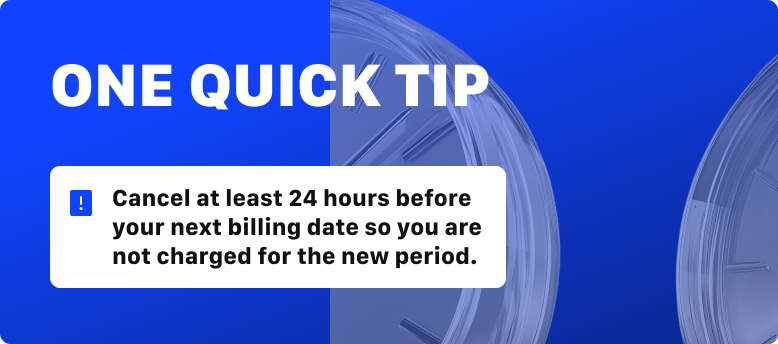
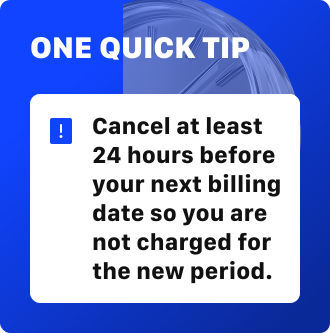
Un consejo rápido: cancela al menos 24 horas antes de tu próxima fecha de facturación para que no se te cobre el nuevo período.
Suscripción Android (te suscribiste a través de Google Play)
- Abre Google Play Store
- Toca el icono de tu perfil en la esquina superior derecha
- Toca Pagos y suscripciones y luego Suscripciones
- Busca Muscle Booster en la lista
- Toca Cancelar suscripción
También puedes ir a Configuración → Suscripciones dentro de la app de Muscle Booster, y serás redirigido a Google Play Store.
¿No ves Muscle Booster en la lista? Entonces no te suscribiste a través de Google Play. Vuelve atrás y usa los pasos de "Suscripción web" en su lugar.
Un consejo rápido: cancela al menos 24 horas antes de tu próxima fecha de facturación para que no se te cobre el nuevo período.
¿Por qué no aparece mi suscripción en la App Store o Google Play?
Muchas personas buscan su suscripción de Muscle Booster en la configuración de la App Store de Apple o Google Play y no la encuentran. Si esto te está pasando, no te preocupes.
Si te registraste a través de un anuncio de Facebook o Instagram, o directamente en el sitio web de Muscle Booster, tu suscripción se compró a través del sitio web de Muscle Booster, no a través de Apple o Google.
Por esa razón, la suscripción no aparecerá en tus suscripciones de la App Store o Google Play, y no podrás cancelarla desde allí.
En su lugar, puedes gestionarla y cancelarla desde tu cuenta de Muscle Booster. Sigue las instrucciones de "Suscripción Web" de arriba para encontrar tu suscripción y desactivar la renovación automática.
Algunas cosas que vale la pena saber
Cómo funciona la suscripción
La suscripción de la app de Muscle Booster solo se ofrece como un plan de renovación automática, lo que significa que se renueva automáticamente al final de cada ciclo de facturación. Las suscripciones de renovación automática están diseñadas para garantizar que mantengas acceso ininterrumpido a la app sin necesidad de renovar manualmente.
Presta atención a tu fecha de renovación, así evitarás cargos sorpresa por un período que no llegarías a usar.
La facturación comienza en el momento de la compra
Tu suscripción comienza en el momento en que la compras, no cuando abres o empiezas a usar la app por primera vez. Cancela al menos 24 horas antes de tu próxima fecha de facturación para que no se te cobre el nuevo período.
Cancela con antelación
Para evitar el próximo cargo, cancela al menos 24 horas antes de tu fecha de renovación.
Redescubre Muscle Booster
Antes de irte, échale otro vistazo a lo que ya te espera en la app. Cuando los días se llenan de tareas, es fácil perder de vista lo mejor.
Un plan hecho solo para ti
Tu plan está construido alrededor de tus objetivos, ya sea ganar músculo, perder peso o recuperarte. Se adapta a medida que progresas, así que cada sesión te sigue haciendo avanzar.
Para todos los niveles y todos los estilos
Desde calistenia para principiantes y calistenia militar hasta entrenamientos de gimnasio y tai chi en silla, hay un plan que se ajusta a cómo te gusta entrenar. Avanzas a tu propio nivel, con orientación en todo momento.
Encaja en cualquier día
¿Tienes 5 minutos o 60? ¿En casa o en el gimnasio? Hay un entrenamiento listo, con o sin equipamiento, para que entrenar se adapte a tu horario y no al revés.
Mucho más que levantar pesas
La fuerza es solo el comienzo. Explora movilidad, power pilates, entrenamiento con bandas, cardio, core fuerte y entrenamientos para quemar grasa, todo desde una biblioteca de más de 2.000 ejercicios.
Respaldado por mucho más que entrenamientos
Registra tus comidas y obtén recetas y orientación nutricional adaptadas a tu objetivo. Sigue tu progreso, mantén tus rachas y acepta desafíos siempre que quieras hacer más.
Sea lo que sea lo que te trajo aquí, empezaste algo que vale la pena conservar. El esfuerzo que pusiste no desaparece. Cuando estés listo, vuelve a iniciar sesión con la misma cuenta y retoma justo donde lo dejaste, con tu plan y tu progreso intactos. Vuelve cuando sientas que es el momento. Aquí estaremos, encantados de ayudarte a retomarlo.
Preguntas frecuentes:
¿Cómo compruebo si todavía tengo una suscripción activa?
En la app: abre la pestaña Configuración y luego Suscripciones. Serás llevado a tu cuenta web, donde se listan todas tus suscripciones.
En nuestro sitio web: inicia sesión en app.muscle-booster.io, abre Configuración y luego la sección Suscripción.
En la configuración de tu tienda: si te suscribiste desde un iPhone o Android, revisa tus suscripciones en la configuración de la App Store o Google Play.
Me cobraron después de cancelar, o me cobraron dos veces. ¿Qué debo hacer?
Contacta a nuestro asistente del Centro de Ayuda, comparte los datos de tu cuenta y nosotros investigaremos el cargo por ti y lo solucionaremos.
Eliminé la app pero me siguen cobrando. ¿Por qué?
Quitar la app de tu teléfono no cancela tu suscripción. Tu suscripción sigue activa hasta que la canceles usando los pasos de arriba. Eliminar la app y cancelar la suscripción son dos cosas diferentes.
¿Cómo sé que mi cancelación funcionó?
Recibirás una confirmación por correo electrónico una vez que se cancele tu suscripción. Si no la ves después de un rato, contacta con soporte para que podamos verificarlo por ti.
¿Puedo volver más adelante?
Por supuesto. Siempre eres bienvenido de vuelta. Solo inicia sesión de nuevo y elige el plan que más te convenga.
¿Todavía tienes preguntas?
¿Todavía tienes preguntas? Sigue este enlace a nuestro Centro de Ayuda y estaremos encantados de ayudarte, paso a paso.