You can easily change the units of measurement for your weight (kilograms/pounds) and height (centimeters/inches) in your profile.
Here's how to do it:
- Open the Muscle Booster app on your device.
- Go to Settings.
- Select Personal details.
- Under the Units section, choose the measurement system you'd like to use.
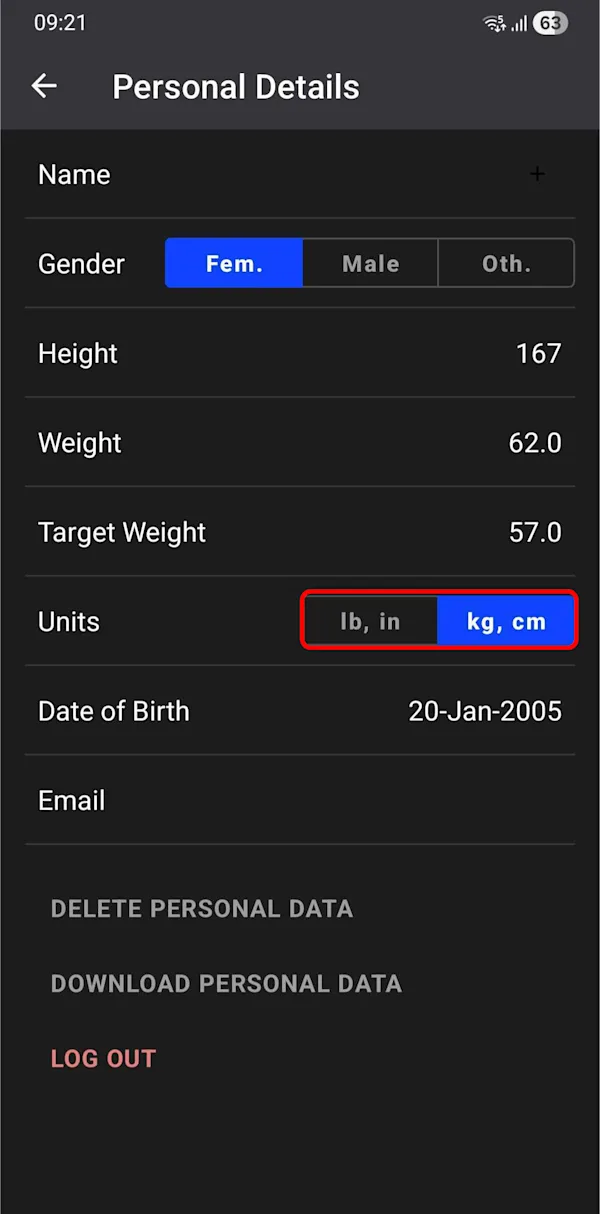
You'll immediately see the new units of measurement reflected within your personalized plan.
You can easily change the units of measurement for your weight (kilograms/pounds) and height (centimeters/inches) in your profile.
Here's how to do it:
- Open the Muscle Booster app on your device.
- Go to Settings.
- Select Personal details.
- Under the Units section, choose the measurement system you'd like to use.
- Tap Save to confirm your changes.
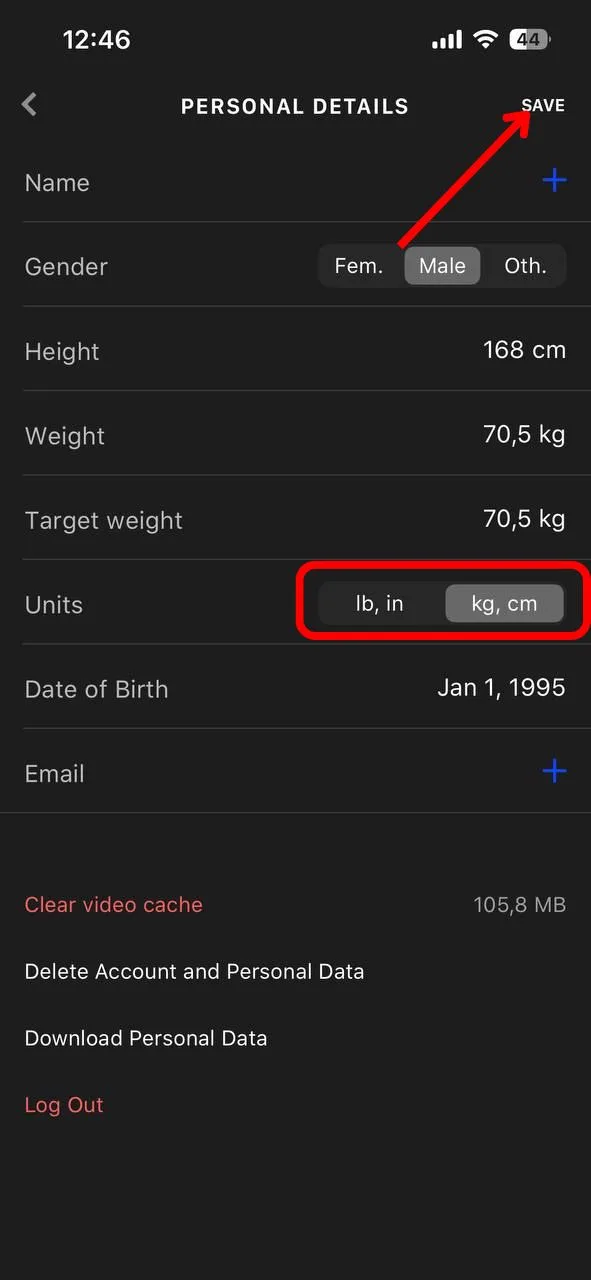
You'll immediately see the new units of measurement reflected within your personalized plan.

